Nion Swift
The Open Source Platform for Electron Microscopy
Nion Swift is the open-source software meticulously designed to meet the rigorous demands of electron microscopists.
It provides a comprehensive, Python-based solution for:
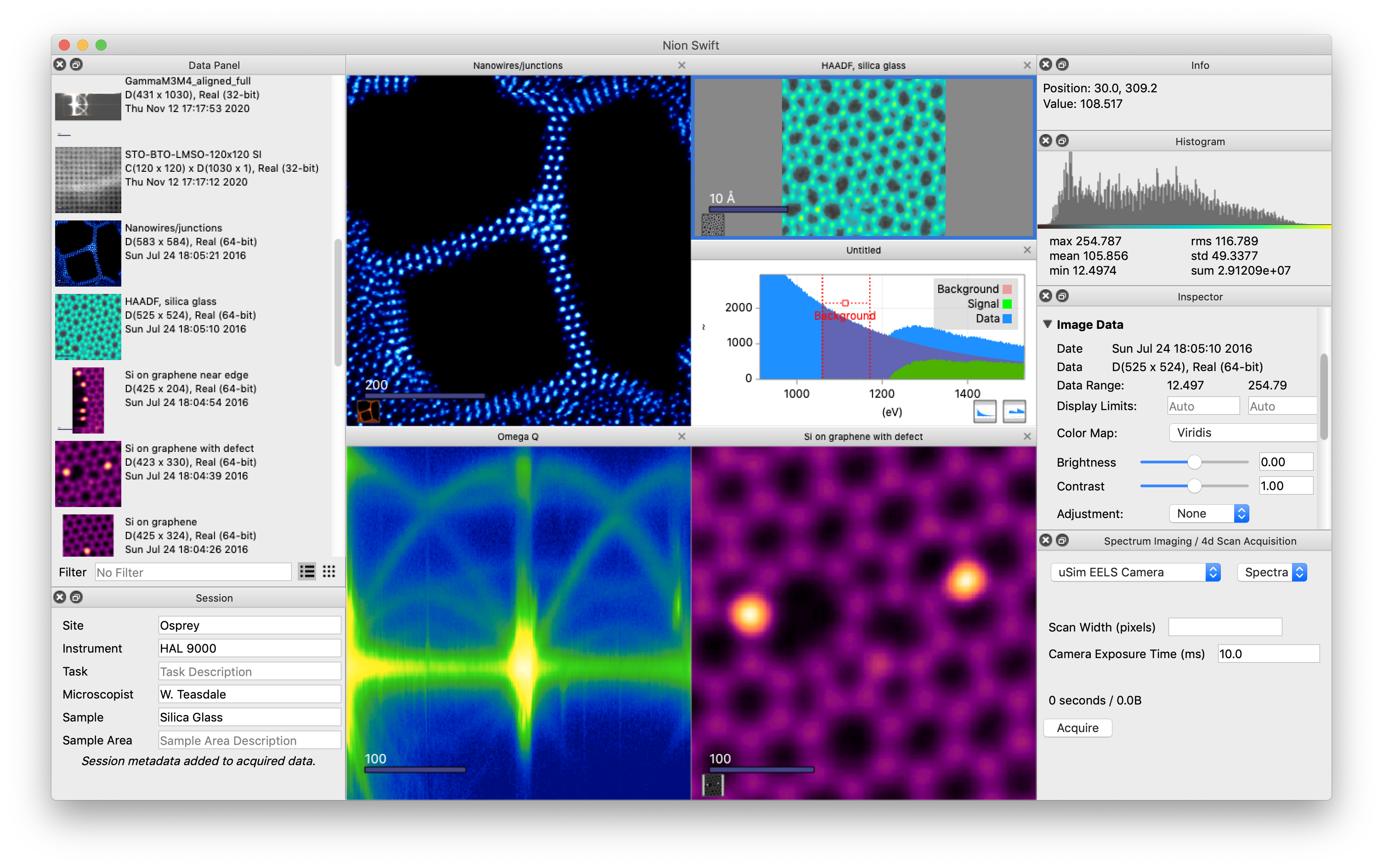
Hardware Control: Streamline the operation of your scientific instruments.
Data Acquisition: Capture high-quality data with ease.
Visualization & Analysis: Process, visualize, and analyze images with powerful, built-in tools.
Image Processing: Enhance and manipulate your images for clearer results.
Platform and Flexibility:
Cross-Platform: Seamlessly run on Windows, macOS, and Linux.
Open-Source: Benefit from a collaborative community and flexible customization.
Customization: Python scripting and plug-ins.
Performance & Data Handling:
Low Latency: High throughput data acquisition platform.
Data Handling: Supports images, line plots, and higher dimensional data.
Live Computations: Perform computations in real-time during data acquisition, allowing for immediate parameter adjustment and improved experimental outcomes.
Getting Started
The quickest and easiest way to get Nion Swift running is to download a pre-packaged version that includes everything you need.
Once you’ve installed it, you can read the introduction to understand the basic ideas, follow the basic tutorial to try out key concepts, and consult the user guide for more advanced use.
Designed for Scientists, by Scientists
Nion Swift was primarily developed to meet the demanding needs of Nion electron microscope operators, providing them with a streamlined, comprehensive tool for instrument control and data acquisition.
However, its open-source design makes it a versatile solution for any scientist looking for a robust platform to visualize, process, and analyze scientific data from diverse sources. We invite you to explore the source code on GitHub and become part of our growing community.
Release Notes
To see a list of changes for each version of Nion Swift, follow the link below.
Installing from Source Code
To install Nion Swift from Python source code, you will need to install a Python environment and then install Python packages required for Nion Swift.
For specific installation details and download links, follow link below. Instructions to install additional packages to extend Nion Swift are also covered.
Python Scripting
Nion Swift offers a great deal of functionality using the user interface. However, sometimes you will want to go beyond its intrinsic capabilities. Fortunately it is easy to extend the functionality using Python.
